The voice notes app that writes everything down for you
Tap record, say what’s on your mind, and Litt Notes turns your speech into searchable text the moment you stop talking. No typing. No scrubbing through twenty-minute recordings to find one sentence.
Coming soon to iOS, Android, web and desktop.
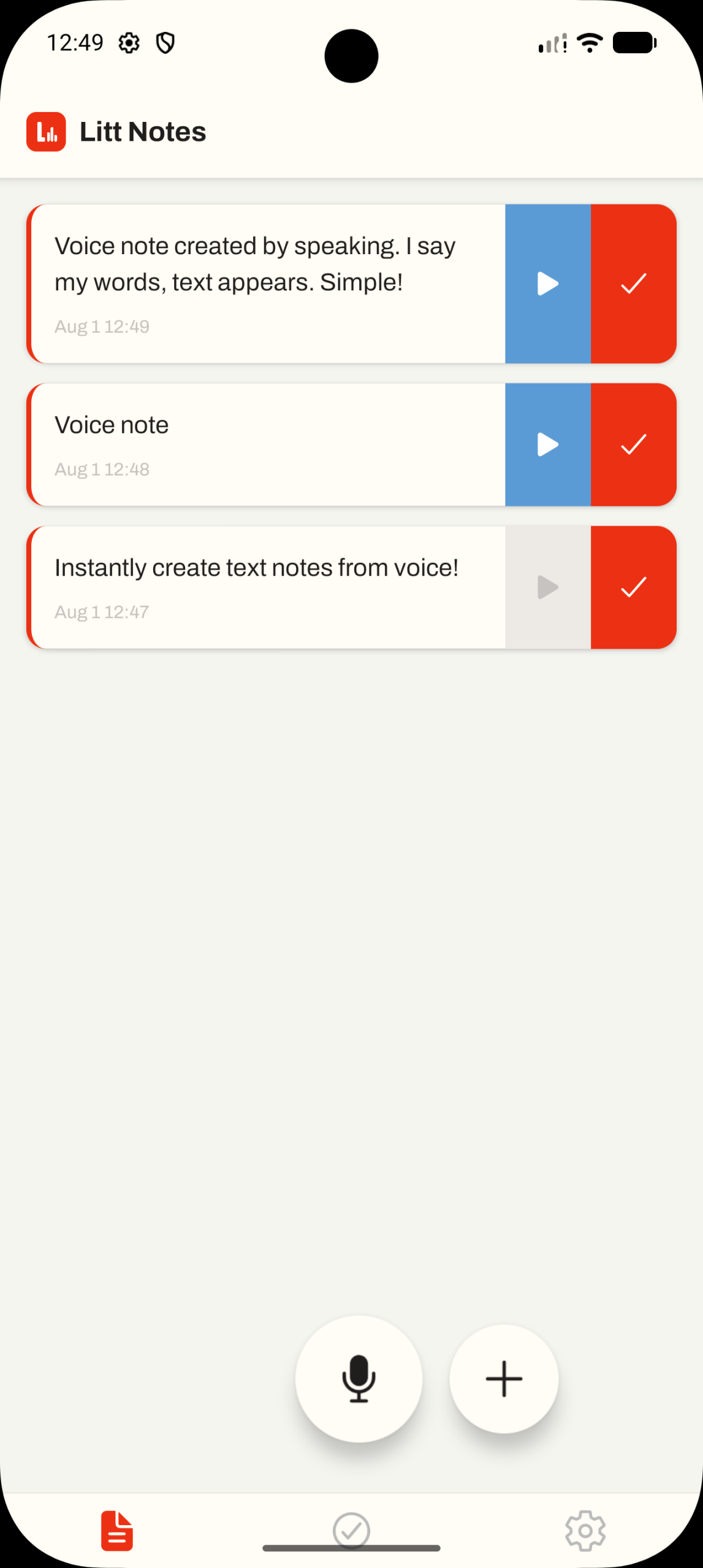
Most voice recorders leave you with a pile of audio you’ll never listen to again
Litt Notes transcribes everything automatically, so a thought you spoke on Tuesday is a note you can search on Friday. That’s the difference between recording your ideas and actually using them.
How Litt Notes works
Three steps, and none of them involve a keyboard.
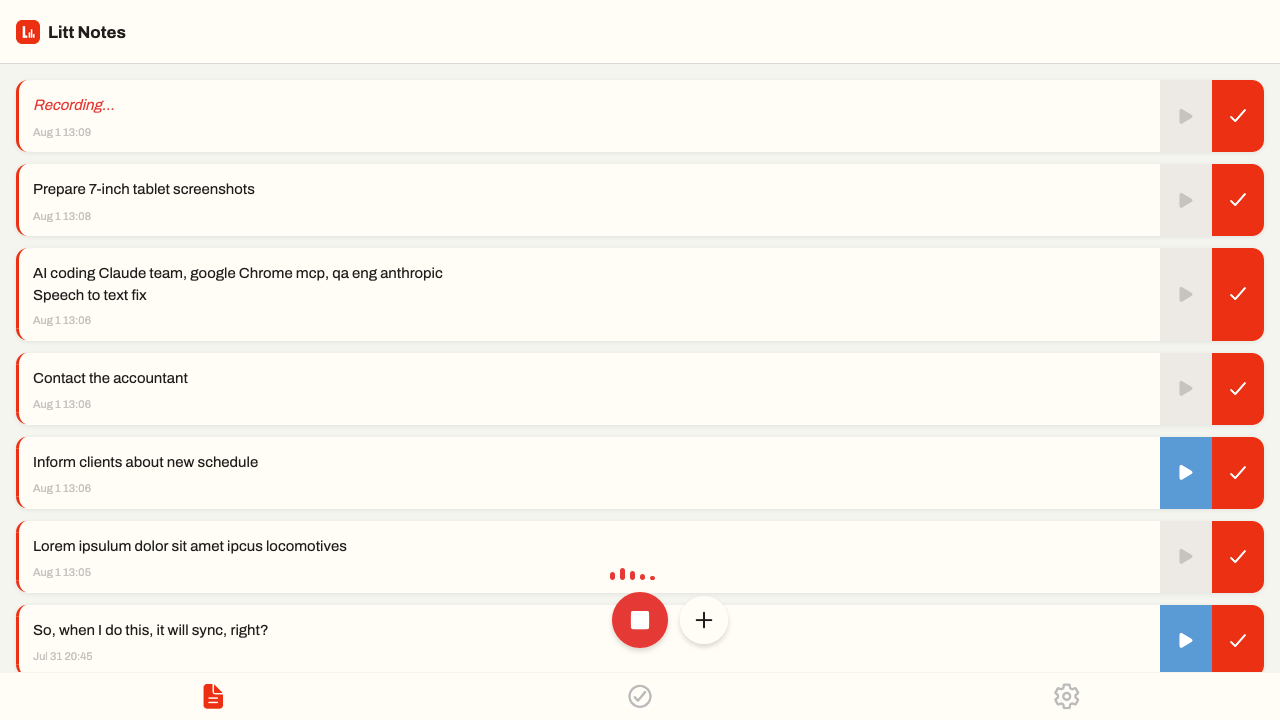
1. Tap and talk
One tap on the microphone starts recording. No setup, no menus, no deciding where the note should live. Just say the thing before you forget it.
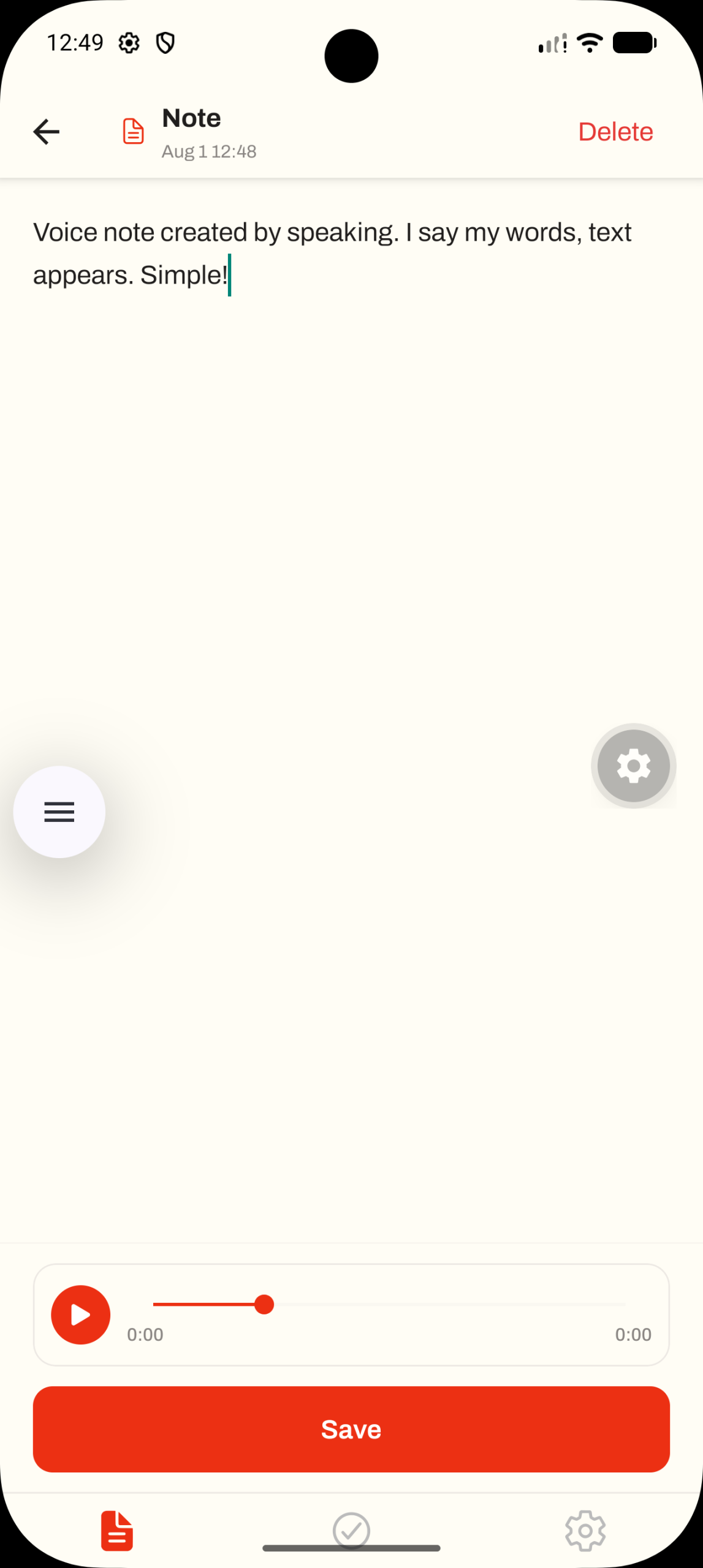
2. Watch it become text
AI speech-to-text transcribes your recording automatically. Edit the text if you want, or leave it. The original audio stays attached either way, so nothing is ever lost in translation.
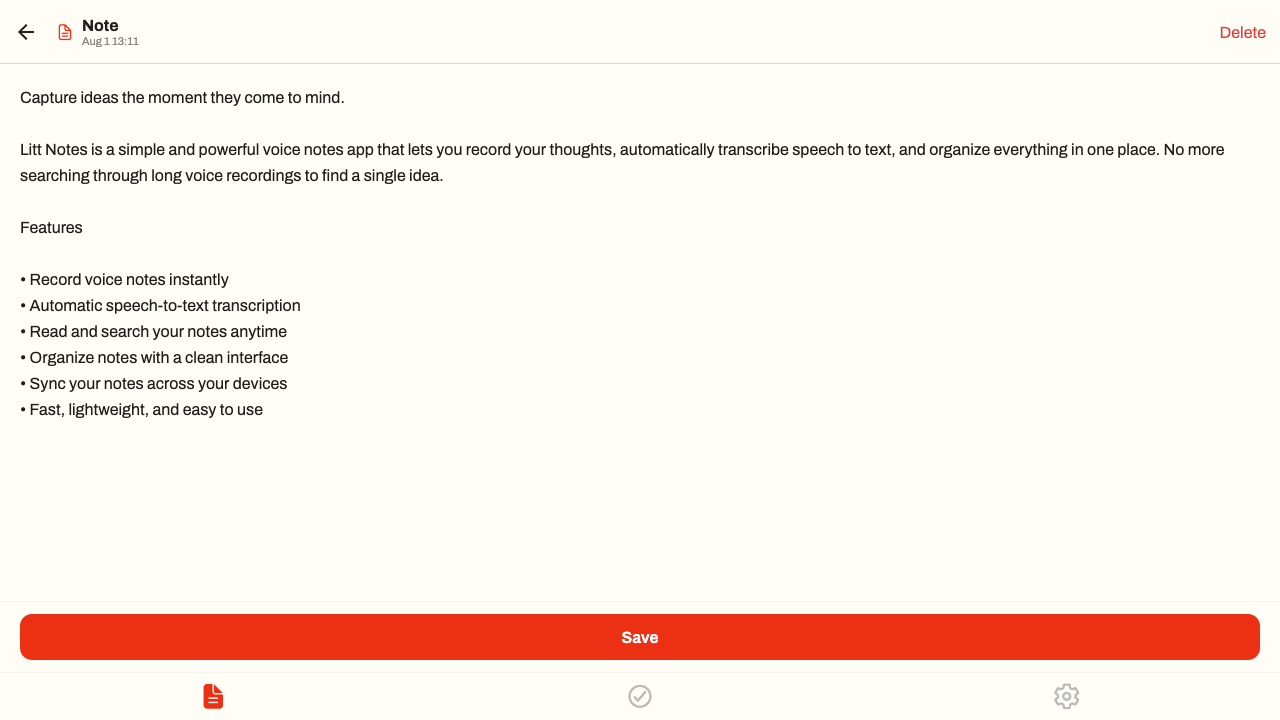
3. Find it in seconds
Because every note is text, every note is searchable. Type a keyword and jump straight to the moment you said it, instead of dragging a playhead around hoping to get lucky.
Everything you get
One-tap voice recording
A microphone button that’s always where you left it. Recording starts instantly, even from a locked, one-handed, walking-down-the-street situation.
Automatic speech-to-text
Transcription runs on its own the moment you finish. You never have to press a second button or wait on a queue to read what you said.
Search every word
Full-text search across everything you’ve ever recorded. Remember one word from the note and you’ll find it.
Voice notes and to-dos together
Swipe a note to tick it off. The thought you spoke out loud becomes a task you can actually close, without moving it into a second app.
Sync across your devices
Sign in once and your notes follow you from phone to desktop to browser. Record on the move, clean it up later on a real keyboard.
Light and dark, and light on battery
A clean interface in both themes, plus home screen widgets — and an app small enough that leaving it installed costs you nothing.
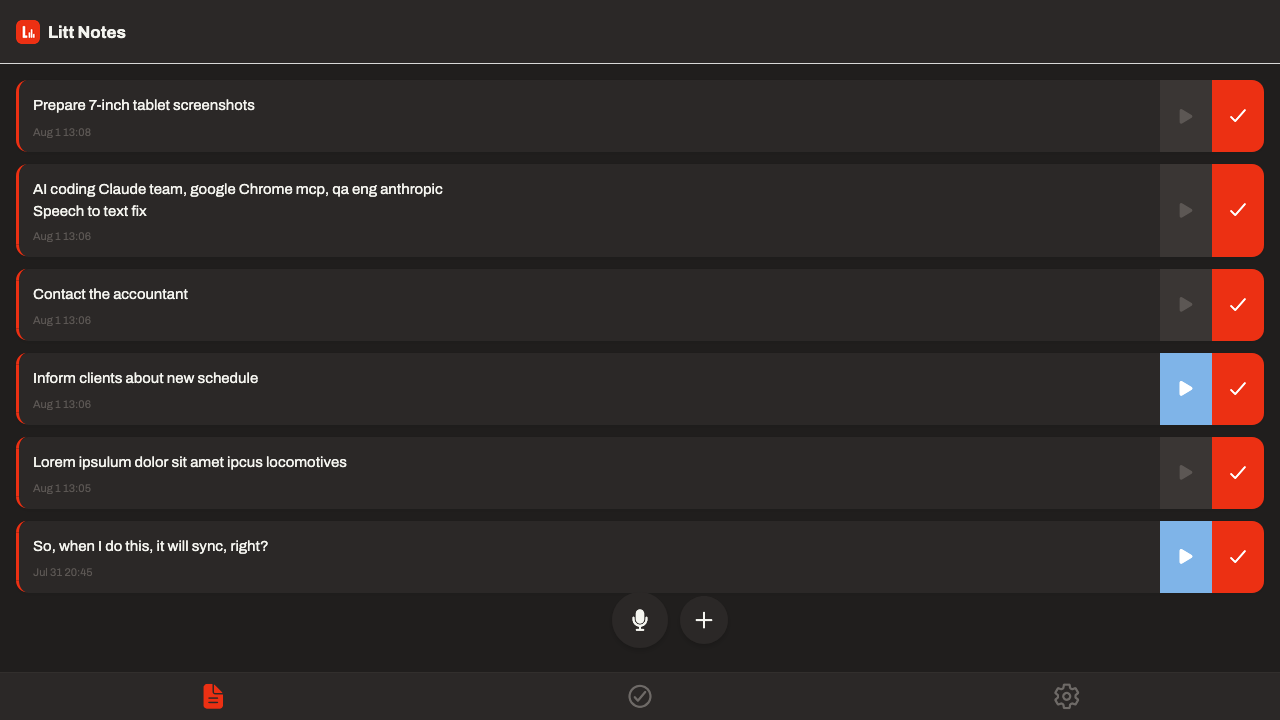
The same notes, wherever you are
Litt Notes isn’t a phone-only app. Capture a thought on your phone during the school run, then open the desktop app and turn six scattered voice notes into a proper plan for the week.
Everything syncs in the background, in whichever theme you prefer to work in.
Made for how you actually think
Ideas show up while you’re driving, walking the dog, or halfway through a meeting. Litt Notes is built for those moments.
Students
Record and transcribe lectures, then search the transcript for the one definition that’s going to be on the exam.
Writers
Dictate a scene or a line of dialogue before it slips away, and find it as text when you sit down to write properly.
Professionals
Capture meeting notes and interviews without looking away from the person you’re talking to, then tick off the follow-ups.
Busy parents
Leave yourself a voice memo with both hands full and get back a readable to-do list you can tick off later.
Transcription happens on your device
Most transcription apps upload your audio to a server to turn it into text. Litt Notes doesn’t. Speech-to-text runs locally on your phone or computer, so your recordings aren’t shipped off to a transcription service to be processed.
You can use Litt Notes without an account at all — skip signing in and your notes never leave your device. Sync is there when you want it, not switched on behind your back. Read our privacy policy.
Frequently asked questions
What is Litt Notes?
Litt Notes is a voice notes app that records what you say and automatically turns it into written, searchable text. You get a readable note you can edit and search, with the original audio still attached.
How is this different from my phone’s voice recorder?
A standard voice recorder gives you an audio file and no idea what’s inside it. Litt Notes transcribes every recording automatically, so you can read and search your notes instead of replaying them. It also lets you tick notes off like to-dos.
Which devices does Litt Notes work on?
Litt Notes is built for mobile, desktop and the web, and your notes sync across all of them once you sign in. Platform availability at launch will be announced to the waitlist first.
Can I edit the transcription if it gets something wrong?
Yes. Every transcribed note opens as normal editable text, so you can fix a name or tidy a sentence. The original recording stays attached to the note, so you can always play back what you actually said.
Can I use it for lectures, meetings and interviews?
That’s one of the main reasons people use it. Record the session, let it transcribe, then search the text for the part you need rather than scrubbing through the audio.
When does Litt Notes launch?
Litt Notes is in pre-launch right now. Join the waitlist and you’ll be among the first to know when it’s available to download.
Latest from the blog
Thoughts on voice notes, transcription and getting ideas out of your head faster.
-
How to Find a Laptop-Friendly Cafe That’s Actually Good for Work
Map apps tell you a cafe has good coffee. They don’t tell you whether there’s a socket by the window or whether the Wi-Fi…
-
How to Turn a Brain Dump Into a To-Do List (Without Typing a Word)
Your memory is a poor to-do list. Here is a five-minute voice brain dump that gets every open task out of your head and…
-
Why Searchable Transcripts Beat a Folder of Recordings
A folder of recordings is storage. A folder of searchable transcripts is a memory you can query. Here is what changes when your voice…
Speak once. Read anytime.
Litt Notes is launching soon. Join the waitlist and we’ll tell you the moment you can stop scrubbing through audio files.