Category: Productivity

Ideas, comparisons and how-tos on capturing thoughts, taking notes and staying organised.

  • Why Searchable Transcripts Beat a Folder of Recordings

    Why Searchable Transcripts Beat a Folder of Recordings

    There’s a difference between keeping something and being able to find it. Most people who record voice notes have solved the first problem completely. Their recordings are all there, safely stored, sorted by date. And that’s the trouble: date is the only thing they can sort by.

    A folder of recordings is storage. A folder of searchable transcripts is something closer to a memory you can ask questions of. The gap between the two is bigger than it sounds.

    Browsing Is Not Searching

    When you go looking for an old note, you almost never remember when you recorded it. You remember a fragment of what was in it — a name, a number, a phrase you used. “That thing about the pricing tiers.” “The supplier whose name began with a V.”

    A recordings folder can’t help you with any of that. It offers you a list ordered by something you’ve forgotten, and asks you to open files one at a time until you get lucky. So you do the arithmetic — three minutes of scrubbing versus just thinking the thought again from scratch — and you close the app.

    Search inverts that. You type the fragment you do remember and the right note surfaces. The thing you half-remembered is exactly the thing that finds it.

    What You Actually Get When Notes Become Searchable

    Transcription is usually sold as convenience — text instead of audio, nice to have. But the useful part isn’t the reading. It’s everything search makes possible once the words exist:

    • Partial recall is enough. One remembered word out of a five-minute recording is a working search query. You no longer need to remember which note, only something that was in it.
    • Old notes stay alive. In an audio folder, a note’s usefulness decays with every new recording pushed on top of it. A searchable note from eight months ago is as reachable as one from this morning.
    • You find patterns, not just notes. Search a client’s name and you get every time you’ve mentioned them, in order. That’s a history you never sat down to write.
    • Results are skimmable. Four text matches can be scanned in seconds to see which one you meant. Four audio files can only be played, one after another.
    • The content becomes reusable. Once a note is text you can quote a line in an email, drop it into a document, or paste it into a task — without transcribing it by ear.

    None of these require the transcript to be perfect. They only require it to contain the words you’ll later think of.

    Why Renaming Your Files Isn’t the Answer

    The obvious workaround is to label recordings as you make them. Give each one a descriptive title, maybe a folder, and you’ve made your archive navigable.

    It works, briefly. Then it fails for two reasons.

    The first is friction. You record voice notes precisely because you’re walking, driving, or between two other things. Stopping to type a title defeats the point of speaking in the first place, so eventually you skip it — and one skipped note in ten is enough to make you stop trusting the system.

    The second is that a title is a summary written by the wrong person. You label a note at the moment of recording, when you know what matters about it. You search for it months later, when you don’t. The word you’ll eventually look for is usually buried in the middle of what you said, not in the title you chose. Full text catches it. A label doesn’t.

    Searchable Doesn’t Have to Mean Uploaded

    One reasonable hesitation about transcribing everything: voice notes are candid. They contain half-formed opinions, client details, personal admin, things said out loud precisely because nobody was going to hear them.

    That’s a real consideration, and it’s worth knowing where transcription happens. Speech-to-text that runs on the device keeps the recording and its text on the device. You get the search without your unfiltered thinking going anywhere else — which matters more for a note archive than for almost anything else on your phone, because the archive is honest in a way your documents aren’t.

    From Archive to Something You Use

    A note only earns its keep the second time you meet it. Everything before that — the recording, the storing, the syncing — is setup. If retrieval never happens, the whole thing was a filing exercise.

    This is the same problem behind why you never listen to your voice notes again, and the reason people keep choosing typing over speaking even though speaking is faster, as we covered in voice notes versus written notes. Capture was never the weak link. Search was.

    Make your recordings searchable and you stop keeping an archive you avoid. You start keeping notes you can ask questions of.

    Try it for yourself

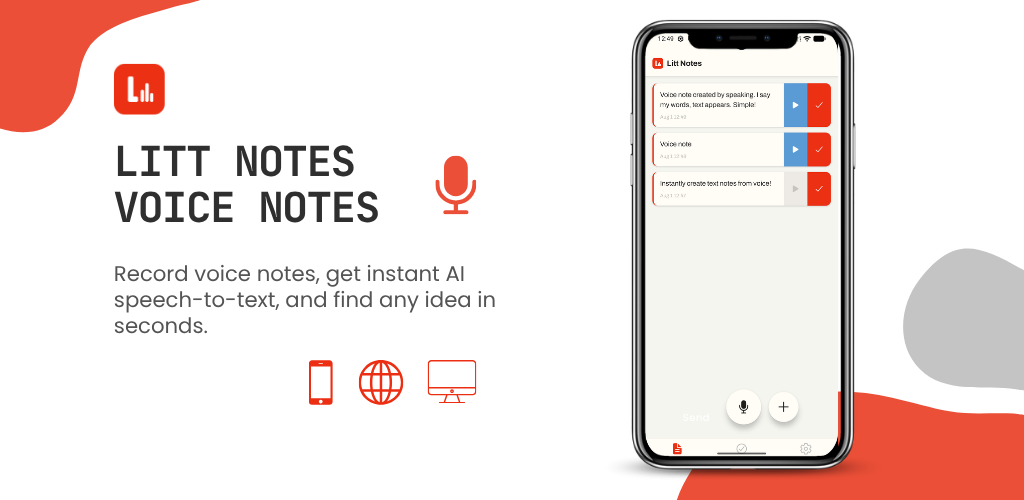
    Litt Notes records your voice and transcribes it to searchable text on your device, so any idea you’ve spoken is one keyword away. It’s launching soon.

  • Why You Never Listen to Your Voice Notes Again (And How to Fix It)

    Why You Never Listen to Your Voice Notes Again (And How to Fix It)

    Open your phone’s voice memo app right now. Odds are there’s a list of recordings sitting in there called something like “New Recording 47”, each one somewhere between eight seconds and eleven minutes long, and you have no idea what’s inside any of them.

    You recorded them for a reason. At the time, each one felt worth keeping. But you’ve never gone back to a single one, because opening them costs more effort than the idea inside feels like it’s worth.

    This is the quiet failure mode of voice notes, and it has nothing to do with recording. Capturing an idea by speaking is already the fastest option available. The problem starts the moment you stop recording.

    The Real Problem: Retrieval, Not Capture

    A note has two jobs. It has to catch the thought, and it has to give it back to you later. Voice memos are excellent at the first job and terrible at the second.

    Think about what it actually takes to retrieve one idea from an audio file:

    • You can’t skim it. Audio plays at one speed, in one direction.
    • You can’t search it. A file name and a timestamp tell you nothing about the content.
    • You often can’t even play it. Not on a quiet train, not in an open-plan office, not without headphones you forgot at home.
    • You have to guess. Finding one sentence in a seven-minute recording means scrubbing back and forth until you get lucky.

    Written notes have none of these problems, which is why so many people give up on voice notes and go back to typing, even though typing is slower. It isn’t that speaking failed. It’s that the recording never became something you could use.

    Why “I’ll Sort It Out Later” Never Happens

    The usual advice is to review your recordings at the end of the day and write up the good ones. It sounds reasonable. Almost nobody does it.

    The reason is simple: reviewing is a separate task, and it’s a boring one. You already had the idea. Listening back to yourself half-mumbling it in the car feels like homework, and any system that depends on a daily chore you don’t enjoy will collapse within a week or two.

    A note-taking system only survives if the organising happens automatically, without you scheduling time for it.

    A Simple System That Actually Sticks

    You don’t need a complicated setup. Four habits cover almost everything.

    1. Say the topic in the first five seconds

    Start every recording by naming what it’s about before you start explaining it. “Pricing idea for the new plan.” “Follow-up from the call with the supplier.” Those first few words become the title, the search term, and the thing that tells you whether to open the note at all.

    2. Keep one idea per note

    Two short recordings beat one long one every time. A note holding a single thought can be found, acted on, and then finished with. A twelve-minute stream of consciousness containing four unrelated ideas can only be re-listened to, which means it won’t be.

    3. Say the next action out loud

    End with what you’d want to do about it: “email her Tuesday”, “check the numbers”, “worth a blog post”. Future you isn’t looking for the idea so much as for what to do with it. Saying it while the thought is fresh takes three seconds and saves the whole note from becoming trivia.

    4. Make it text, immediately

    This is the one that makes the other three pay off. Once a recording becomes text, it stops being an audio file you have to commit time to and becomes a note you can glance at. You can scan it in two seconds, search a word you half remember, paste a line into an email, or read it in a meeting without headphones.

    The transcript doesn’t have to be perfect, either. It only has to be good enough that searching a keyword surfaces the right note. That’s a much lower bar than “flawless dictation”, and it’s enough to change how often you go back to your notes.

    Speak Fast, Read Later

    The goal isn’t to record more. Most people already record plenty. The goal is to make sure that a thought you had on a walk three weeks ago is still available to you today, in a form you can find in a few seconds.

    Speak to capture, because it’s the fastest way to get an idea out of your head. Read to retrieve, because text is the only format you can scan and search. As we covered in our look at voice notes versus written notes, this was an either-or choice for a long time. It isn’t anymore, as long as the conversion from one to the other happens without you having to do it by hand.

    Fix the retrieval half of the problem and your voice notes stop being an archive you avoid. They become something you actually use.

    Try it for yourself

    Litt Notes records your voice and transcribes it to searchable text on your device, so every note you speak is one you can find again later. It’s launching soon.

  • Voice Notes vs Written Notes: Which Note-Taking Method Actually Boosts Productivity?

    Voice Notes vs Written Notes: Which Note-Taking Method Actually Boosts Productivity?

    We’ve all been there: a great idea hits while you’re driving, walking the dog, or halfway through cooking dinner, and there’s no time to grab a notebook. So you either lose the thought completely, or you fumble to type it out one-handed while trying not to walk into a lamp post.

    This is the exact problem that’s pushed so many people to rethink how they take notes in the first place. For decades, writing things down was the only option. Now, voice notes have become a serious contender. But which one is actually better for productivity – talking or typing?

    The honest answer is: it depends on what you’re trying to capture, and how your brain works best. Let’s break it down.

    The Case for Written Notes

    Writing has been the default for so long because it works, at least in certain situations.

    Pros of written notes:

    • Easy to skim and scan visually
    • Naturally structured (bullet points, headers, lists)
    • Great for information you need to reference precisely, like phone numbers or addresses
    • No background noise or mumbling to worry about

    Cons of written notes:

    • Slower than speaking, especially for longer thoughts
    • Requires your hands and full attention, which isn’t always available
    • Easy to lose momentum on an idea while you’re busy formatting it
    • Not practical while driving, exercising, or multitasking

    Written notes shine when you need something clean, structured, and quick to reference later, like a grocery list or a short reminder. But they start to break down the moment your thoughts move faster than your fingers can type.

    The Case for Voice Notes

    Voice notes solve a very specific problem: capturing thoughts the moment they happen, without friction.

    Pros of voice notes:

    • Much faster than typing, especially for longer or more complex thoughts
    • Hands-free, so you can record while driving, walking, or working
    • Captures tone, emphasis, and nuance that text can lose
    • Great for brainstorming, since talking often leads to more natural, free-flowing thinking

    Cons of voice notes:

    • Traditionally hard to search through, especially in long recordings
    • Not ideal for information you need to visually scan later
    • Can feel awkward to record in public settings
    • Old-school voice memo apps leave you replaying entire recordings just to find one idea

    That last point used to be the biggest reason people avoided voice notes altogether. Recording an idea was fast, but finding it again later meant sitting through minutes of rambling just to locate the one useful sentence. That friction alone was enough to push people back to typing.

    So Which One Actually Boosts Productivity?

    Here’s the honest truth: the best note-taking method isn’t voice or written. It’s whichever one removes the most friction between having a thought and capturing it.

    For quick reminders, checklists, or anything you’ll need to visually scan, writing still works well. But for capturing ideas, meeting notes, or anything you need to think out loud to figure out, voice notes tend to win, especially when speed matters more than structure.

    The real breakthrough happens when you combine the speed of speaking with the searchability of text. That’s what modern voice-to-text tools are designed to solve.

    Getting the Best of Both Worlds

    This is exactly where apps like Litt Notes come in. Instead of choosing between speaking your thoughts or writing them down, Litt Notes lets you do both at once. You record a voice note the moment an idea hits, and it’s automatically transcribed into readable, searchable text.

    That means no more replaying a five-minute voice memo just to find the one idea you actually needed. You get the speed of voice notes with the organization and searchability of written ones, all in one simple, lightweight app that syncs across your devices.

    Whether you’re capturing a business idea on a walk, jotting down meeting notes, journaling before bed, or just trying to remember what you needed at the grocery store, the goal is the same: get the thought out of your head and into a place where you can actually find it again.

    Final Thoughts

    Voice notes and written notes both have their place, but they don’t have to be an either-or decision anymore. The most productive approach is capturing ideas the moment they happen, in whatever format is fastest in that moment, and having them automatically organized so you never have to dig through old recordings again.

    If you’re tired of choosing between speaking fast and staying organized, it might be time to try a tool that does both.

    Try it for yourself

    Litt Notes records your voice and transcribes it to searchable text on your device, so you get the speed of speaking and the searchability of writing in the same note. It’s launching soon.